Category: review

  • Sleeklens Landscape Lightroom presets review

    Sleeklens Landscape Lightroom presets review

    As per my Ethics guidelines I must state I have not purchased this particular product.
    At time of writing I am not currently affiliated with or sponsored by Sleeklens.
    I was recently asked to provide a review and my thoughts on a product by Sleeklens called “Through the Woods” a Lightroom landscape preset workflow. Sleeklens produces presets and action sets for Adobe Lightroom and Photoshop CC.

    After agreeing to a few terms to do the review the product arrived as a zip file
    That contained several PDF files

    • A  readme first PDF that contained a link to the installation video and an invitation to join the sleeklens Facebook group for support.
    • A TOS (Terns of Service)
    • A how to install PDF
    • A “recipe” list to help get you started.

    And two folders, one for brushes with 30 brushes in it and one for presets containing 51 presets.

    Install was mostly painless especially if you follow the included instructions.
    I in my usual way managed to get it exactly backwards and had to do a bit of uninstalling/reinstalling.

    To Install presets follow the video linked in the install document.
    To Install brushes follow the instructions in the install document.

    Screen grab of the presets and brushes that are a part of the Through the Woods collection
    Hint: all images in this post can be clicked to open a new window/tab with a larger easier to see image.

    sample of what the presets and brushes look like
    sample of what the presets and brushes look like

    The sample shows one of my annoyances with Adobe Lightroom, while LR presets can be grouped into collapsible sections. LR brushes cannot, you are always scrolling through huge lists to get to the one you want which is invariable at the bottom of the list.

    To test what the presets and brushes could do I selected one very over exposed image, one very under exposed image and one with an average exposure but mediocre image.
    In all cases these images would normally have seen the big X of rejection in Lightroom.
    Here are the images and the “recipes” as Sleeklens calls them that I used to process the three images.


    Image 1 – The Over Exposed image.

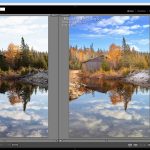
    Original on left, Sleeklens processed on right.

    Over exposed image processed with sleeklens workflow
    Over exposed image processed with sleeklens workflow
    Over exposed image processed with sleeklens workflow
    Over exposed image processed with sleeklens workflow

    The Recipe used

    Presets
    All in one – Dawn rising
    Exposure – Less Highlights
    Color – Deep blue sky
    Tone/Tint – Color pop
    Polish – Sharpen

    Brushes
    brighten (applied to land and reflection)
    brighten (applied to  land)
    add golden sun (reduced effect, applied to  land and reflection)

    Manual settings
    Manually reduced Saturation to +19 and Vibrance to +40
    Manually adjusted cyan cast in sky towards blue
    Manually reset black/white points


    Image 2 The Under Exposed image.

    Original on left, Sleeklens processed on right.

    under egxposed image sleeklens preset test
    under exposed image sleeklens preset test

    The Recipe used

    Presets
    Base – High Dynamic Range
    Base – Morning light
    Exposure – Less Highlights
    Exposure – Brightnen Shadows
    Tone/Tint – color pop
    Polish – Sharpen

    Brushes
    Brighten (applied to land)
    Add golden sun (reduced effect, applied to portions of land and reflection)

    Graduated filter
    cloud definition

    Manual settings
    Manually reduced Saturation to +19 and Vibrance to +21
    Manually reset black/white points


    Image 3 The average exposure average image.

    Original on left, Sleeklens processed on right.
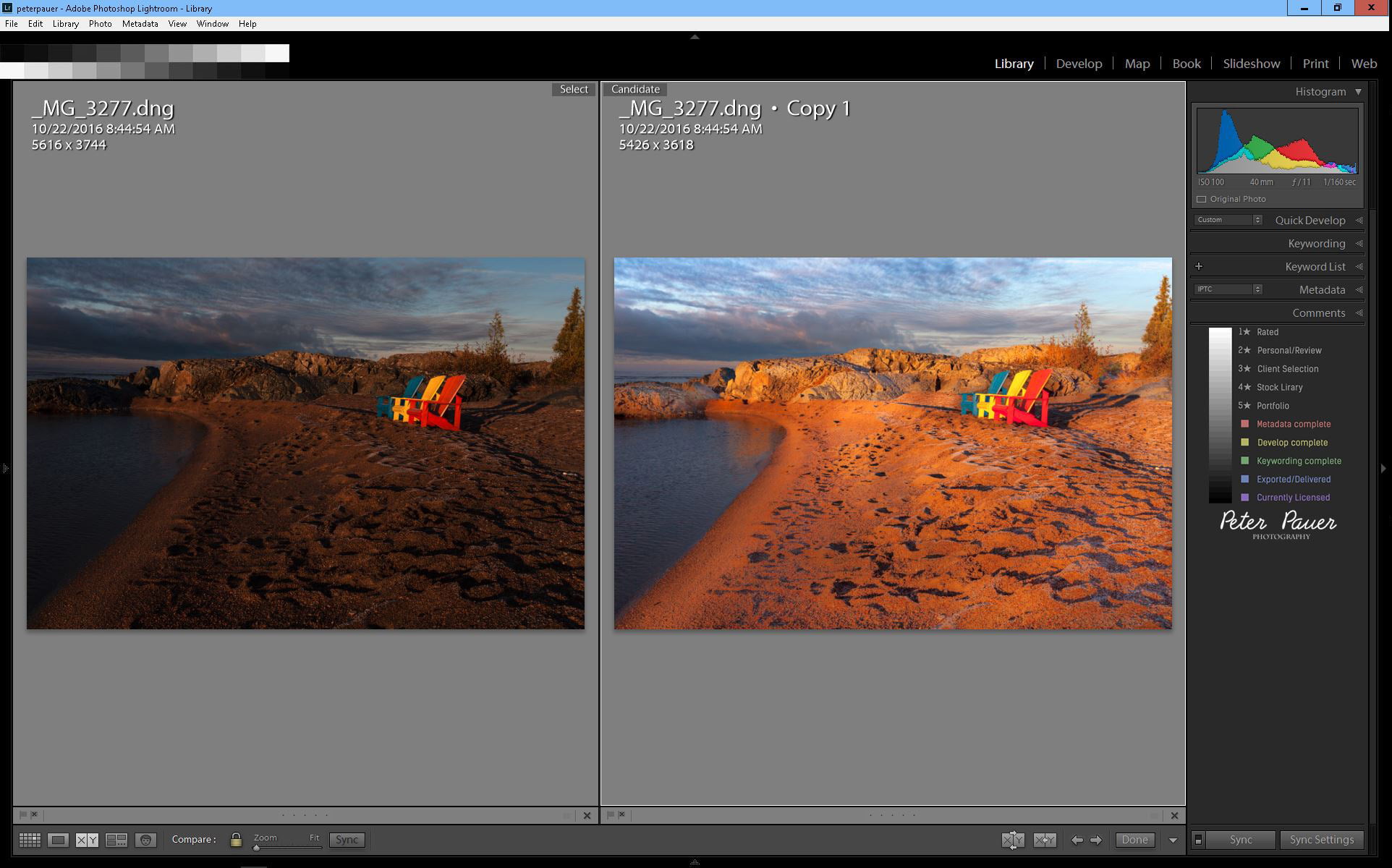
    average exposure image sleeklens preset test
    average exposure image sleeklens preset test

    The Recipe used

    Presets
    All In One – Shine into Sunset
    Polish – Sharpen

    Brushes
    Brighten (applied to land)
    Add golden sun (applied to  land)
    Darken (applied to a tiny portion of land)

    Graduated filter
    cloud definition

    Manual settings
    Manually reduced Clarity to +30 Saturation to +30 and Vibrance to +5
    Manually slightly increased overall exposure and reset black/white points


    My thoughts

    Now for my thoughts on the Sleeklens workflow presets and using presets in general.
    The Sleeklens presets and brushes do seem to work well to help process images, or at least get you to a good starting point for heavier editing fairly quickly.
    In many cases I had to dial back the effects as they seemed to be a bit over the top.
    But that is probably common for development presets as every image is different and would need some custom adjustments tinkering.
    They did have an interesting stack able capability where you could apply as many of the presets as you wished and they did not affect each other.

    What is a preset

    A preset or brush is just a Lightroom setting (or settings) you come up with that you then save with a name. Which you can then recall with a single click and apply it to other images as needed thus saving you some time.
    With purchased presets like the Sleeklens collections you are buying settings created by people skilled at editing and processing images.
    You are getting some of their expertise instead of trying to re-invent the wheel by creating your own preset sets.

    You still need to learn to use presets and brushes properly and take the time to apply them to each image, there is no magic auto fix!

    My personal workflow

    The “presets” I do use daily are smart collection workflow driven.
    They are based on moving images from import to distribution in a quick timely fashion with very little actual image development to try to recover a flawed image.
    The majority of my own under/over/mediocre images usually meet the rejection trashcan very quickly.

    With the “Through the Woods” landscape presets there is the option of trying a few presets to adjust or recover some of my images if so desired.
    Though even in Lightroom it now seems possible to repaint an images so it looks quite different from what was originally photographed.

    Links to Sleeklens products and services if you are interested

    This is the “Throught The Woods” presets I used for this review Landscape Lightroom Presets
    Sleeklens products Lightroom Presets
    Sleeklens also offers a Photo editing service

    And finally Sleeklens has a fairly active and informative YouTube Channel
  • Carden Alvar, new Provincial Park in the making!

    Carden Alvar, new Provincial Park in the making!

    Carden Alvar birding area

    Sometimes you discover gems like the Carden Alvar lurking in your own back yard!
    Been traveling past this area often (turns out it is only a few minutes north of my location) on my way north.
    To such destinations as Algonquin, Killarney, Superior, Thunder Bay, Temagami, and many other places one might imagine one has to go to find “great” images.
    Little did I realize what a gem was just a short trip away!

    Old barn along a road in Carden Alvar

    So I took a quick run around the Carden Alvar.
    It was not a bad trip, maybe should not have used the wife’s small car though.
    It bottomed out in a few places and a few rather loud thumps occurred.
    But there were lots of other people also trying to drive and bird around portions of it in small cars too.
    Would not recommend trying that trail in a small car if it rains though!

    I did not see the fabled Loggerhead Shrike, but you could hear it singing (rather laughing at all the people) in the trees.
    The Loggerhead shrike is the only member of the shrike family endemic to North America making it a rather unique bird to spot.
    There were lots of other birds to be seen flapping around the area too, (no rubber chickens though).

    It has a very nicely set up birding trail area by the “Ontario Field Ornithologists

    A portion of the area has become the Carden Alvar Provincial Park . The Land use amendment to create the new Provincial Park was approved and the new Park is underway. There are hiking trails in the new park that now exist! Brochures, maps and more information can be found on the The Couchiching Conservancy web site.

    Oh, the purple loosestrife invasion is doing very well, there were huge fields full of it everywhere!

    Purple loosestrife in a field at Carden Alvar
    Purple loosestrife in a field at Carden Alvar


  • Algonquin Provincial Park –  Canada’s amazing park system

    Algonquin Provincial Park – Canada’s amazing park system

    Algonquin Park

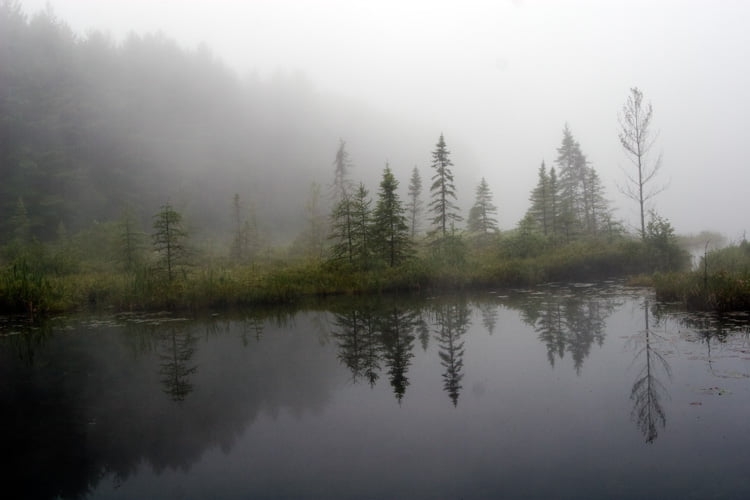
    Algonquin park lake in morning fog

    Established in 1893,  Algonquin Park is the oldest provincial park in Canada.
    Located only a 3 hour drive north of Toronto, Ontario the park provides a wilderness experience that is easily accessed from Southern Ontario.
    Encompassing about 7,653 square kilometres (2,955 sq mi), it contains over 2,000 kilometres of back country canoe routes connecting  thousands of its pristine lakes.

    Providing for any level of outdoors actives.
    From the “civilised city” camper. With eight campgrounds and fourteen hiking trails. That provide easy access for the car camper arriving with tent or trailer. Some even providing electrical hookup along the Highway 60 corridor.

    To the skilled outdoors person. With 29 different entry points allowing access to the thousands of kilometers of back-country canoeing and hiking. For overnight and multi day use a back-country permit is required. And you will need to show your approved camp stove to the warden before entering.  There is also a complete bottle and can ban in effect in the back-country.

    The park is home to an active and healthy black bear population. As well as wolf packs and fox requiring good back-country skills for those traversing its rugged landscape.
    Algonquin with 272 recorded bird species, some residents some migrants, is also a haven for the ornithologist!
    Not to forget mentioning spotting the occasional elusive moose!

    Located in an area of transition between northern coniferous forest and southern deciduous forest the park is along the “border” between Northern Ontario and Southern Ontario. For the landscape enthusiast the park provides excellent diverse scenery in all seasons, especially in the fall when the trees along the highway 60 corridor turn to an amazing riot of colors.

    The park boasts a large visitors centre located at Km 43 containing a shop, restaurant, museum and a viewing platform overlooking several lakes. As well as a Logging museum at Km 54.5.
    WiFi is available only at the visitors centre,  and fortunately in most places cell phones still do not have a signal allowing for a quiet peaceful time while visiting.

    Whether you are car camping or going back-country I highly rate the park and can only recommend it.
    It is well worth the visit!

    You can find out more about the park and make your camp reservation at Ontario Parks

    For updates and news about the park visit the Friends of Algonquin Park FOAP

    There is also an excellent Art Gallery at Km 20 on Highway 60 inside the park boundaries, it is well worth a visit. Entrance to the gallery is by donation, which helps fund it operations.

    Enjoy your stay!


  • Graph Paper Press themes

    Graph Paper Press themes

    I have been using various GPP themes for our site for many years now.
    (This site is currently using the GPP Albdo theme that interfaces with PhotoShelter’s Marquee theme very nicely).
    The themes really are easy to configure, setup and use, and they sure beat trying to write your own code!

    I am a GPP Affiliate.

    Graph Paper Press WordPress themes

    Graph Paper Press is a small team of web designers and developers based in Brooklyn, NY who build graphically minimal WordPress themes for photographers, artists and entrepreneurs. Their content-rich designs allow you to create a blog, build a portfolio and sell your photography or artwork online in one place! They offer a variety of free WordPress themes and premium WordPress themes that cater specifically to the needs of creatives. Getting started is easy:

    1. Register an account with Graph Paper Press.
    2. Browse and find a theme you love!
    3. Download it and follow the installation instructions!

    Effortless Customization

    Graph Paper Press has dozens of WordPress themes and plugins that are both easy to use and customize. Their themes allow you to change fonts, colors, backgrounds, headers, menus, insert logos and create slideshows so that your site is exactly what you want it to be.

    E-Commerce Ready

    Graph Paper Press also makes a free plugin called Sell Media that allows you to sell photos, prints and other media directly through your WordPress site. Coupled with its many extensions, Sell Media becomes an easy platform through which you can track sales, calculate commissions, protect your work and connect with your customers. It’s a sure-fire way to create and manage a photography business through WordPress. Install Sell Media and voila! You’re running a business!

    Final Words…

    Sometimes things just don’t work out, and that’s okay. Graph Paper Press offers a 30-day, money-back guarantee on all of their products.

    Use this coupon code and save 25%

    SAVE25TODAY

    Get Started Now

    My GPP Affiliate link:

  • A mini review of Sky Crystals

    A mini review of Sky Crystals

    A mini review of Sky Crystals – Unraveling the Mysteries of Snowflakes

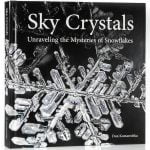
    Sky Crystals - Unraveling the Mysteries of SnowflakesSky Crystals – Unraveling the Mysteries of Snowflakes by Don Komarechka

    My rating: 5 of 5 stars

    Great book! It is a hardcover printed on a heavy stock that showcases the images very well. The book is divided into 3 main sections, with lots of very well reproduced images.

    The first section goes into the science and mechanics of how snow crystals are formed.
    The second covers the equipment and how-to of shooting your own images of snowflakes.
    And the final section covers post processing the many shots in software to arrive at the final image.

    Highly recommended read if you are interested in the science, or photography of snowflakes or even just looking at all the pretty pictures of these short lived wonders.

    It was a catalyst in rekindling my interest in macro photography!
    Very pleased to have purchased it!

    View all my reviews on Goodreads

    The book can be obtained from http://skycrystals.ca/

  • Awesome new theme to compliment all the changes

    Awesome new theme to compliment all the changes

    painted chairs

    Awesome new theme!

    Trying out the brand new just released “Awesome” WordPress theme by Graph Paper Press.
    It really is very interesting and quite different than what you normally see!
    As usual for a GPP theme it has been very easy to implement and configure  to just the way you want it.

    I suspect the hardest part will be to get our main image bank on Photoshelter to at least appear to integrate with this new awesome theme!

    Right now it is a bit of a jarring switch going from the main GPP site over to our photo image bank and back again.

  • Workflow and library major changes in the works

    Workflow and library major changes in the works

    Construction
    Construction equipment

    DAM (Digital Asset Management)

    DAM is a pain at best of times.
    Trying to hammer out workable, reliable and consistent backup schemes, file naming conventions, image workflow, key wording, meta data is not easy.
    And as you keep changing things to hopefully simplify your work, you usually ending up with a lot of inconsistencies in the old image archives.

    At least until I attended Gavin Gough’s Photo Workflow seminar at Photoshelter and watched his video on Vimo

    Conveniently linked for you here:

    Workflow changes

    The first changes to my workflow include adding a new step to my backup strategy, and completely renaming all my existing image files! Would be a big ouch except it is actually turning out to be a painless process!

    Good thing was my existing backup strategy was already good (decades of working as a IT analyst pays off) but even here I added a new step to separately backup all the raw image files automatically as they come in to an external drive using a neat feature of lightroom I did not know even existed!

    At the moment all my existing working image files are being renamed to a consistent naming convention (one day at a time, just so I can watch what is happening) and converted to DNG format files.
    All being done automatically and being handled by LightRoom itself!
    Yes, I did take a full snapshot backup of the entire image library before beginning this process, so reverting in case something “not good” happens would be easy.

    This is one eBook package (includes a lot of extra like pre-built Lightroom presets to speed things up) that can really help your workflow especially if you are handling large volumes of image files.

    Wish I had found it sooner, going back and converting 10’s of thousands of digital image files to the new consistent workflow format from many years of shooting is going to take a bit of time.

    The next step will be to implement the tagging process to keep track of where individual images are within the workflow process.